01RECORD
Your screen.
Your own words.
Walk through the work while you talk. Show the detail, the decision, or the thing that’s easier to see than explain in an email.
A little less “let’s jump on a call.”
Some things are easier to show.
Turn your screen and your explanation into a clear, shareable video. Record it. Refine it. Send one link. Let everyone get on with their day.
In private use today. Join the waitlist for what’s next.
A simple rhythm
From the first take to the final link,
everything has its place.
Walk through the work while you talk. Show the detail, the decision, or the thing that’s easier to see than explain in an email.
Trim and crop in the local editor. Correct the transcript, add context, and give your walkthrough a clear title before sharing.
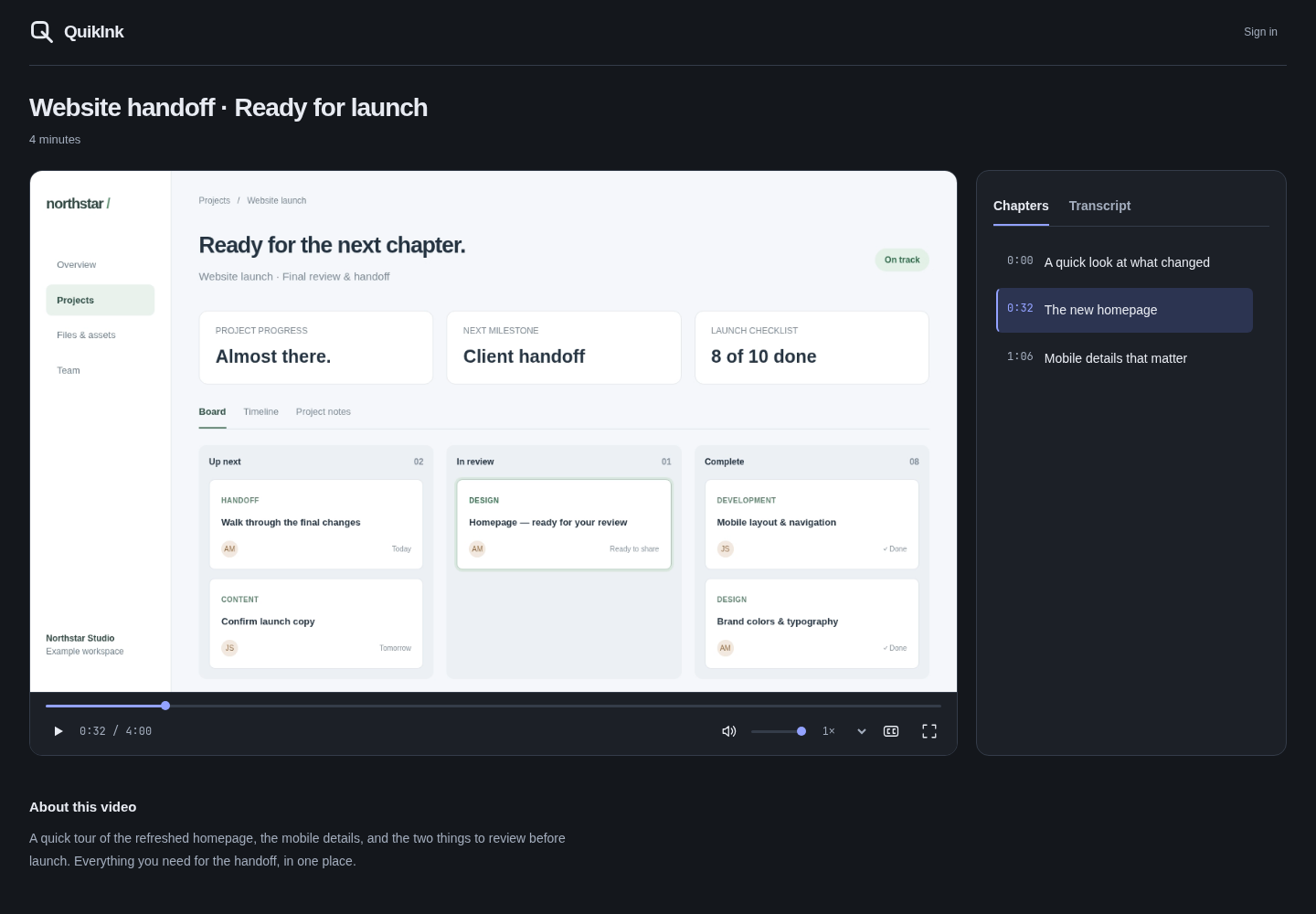
Send it in the conversation you already use. Your viewer gets the video, chapters and transcript together. No account needed to watch.
Useful beyond the first watch
A good walkthrough shouldn’t mean scrubbing through the whole video again. Give people a way back to the part they need.
Explore the viewerTurn a longer explanation into clear sections. One click takes your viewer straight to that moment.
A searchable, timestamped transcript makes that detail easy to find, without another “where was that?” message.
A short summary, captions and playback controls let people catch up in the way that works for them.
Your workflow, with room to breathe
Keep your work organized.
Choose how it gets processed.
Organize by client, add private tags, and search your titles and transcripts. See what’s published and what still needs your attention.
Process on your computer with Local AI, or use account-enabled Cloud AI. Keep the workflow that suits the recording.
The next chapter
Quiklnk is already part of our day. We’re getting it ready to be part of yours.
Join the waitlist and we’ll let you know when beta access opens.
Waitlist only. Public signup isn’t open yet.
Before you go
Quiklnk is currently available by invitation. The waitlist is for news about beta access; joining doesn’t create an account or guarantee an invitation. Existing users can sign in above.
No. Shared videos open in a browser. Anyone with the link can watch, so share it with the people you want to see it.
You can update titles, summaries, chapters and transcripts in the web editor, then publish your changes. Video cuts and crop are available in the local editor.
We haven’t announced a public launch date or pricing. Join the waitlist and we’ll email you when there’s news about access.